


Guide / AI-built software
Before you launch an app built with AI tools: a checklist you can run yourself
Ten questions you can answer in an afternoon, and what each answer tells you about the risk.
Short answer: before launch, check ten things. Where secrets live, whether the server checks input, whether every page checks who is asking, whether you have a tested backup, how the app feels on a mid-range phone, and whether someone other than the author can run it. Anything you cannot answer is a place for an engineer to look.
AI tools are good at making something that works in front of you. They are less good at the parts nobody sees until a real customer arrives. This list is about those parts, and you do not need to read code to use it.
Ten checks before you launch
Run each check and mark the result
- Secrets stay out of the codeAsk where API keys and passwords are stored. If they are written in files that are shared or uploaded, move them to protected settings and replace them.
- The server checks inputA form that rejects bad input in the browser is not enough. The server must reject it too.
- Every page checks who is askingOpen a private page in a window where you are signed out. It should not load. Try the same with another user’s link.
- Backups exist and have been restored onceA backup nobody has tested is a hope, not a backup.
- It feels fast on a mid-range phoneTest on mobile data, not only on your laptop. Watch the first screen and the main action.
- Errors reach youWhen something fails for a customer, you should hear about it from a tool, not from the customer.
- Someone else can run itAsk a colleague to start the project from the instructions. If it takes a day of guessing, write the steps down.
- One way to do each thingSeveral copies of the same feature, or two tools for the same job, make every later change harder.
- Personal data is handled on purposeKnow which personal data you store, where it goes, and how a customer can ask you to delete it.
- There is one page of notesWhat the app does, what services it uses, and who has access. One page is enough.
How to read your answers
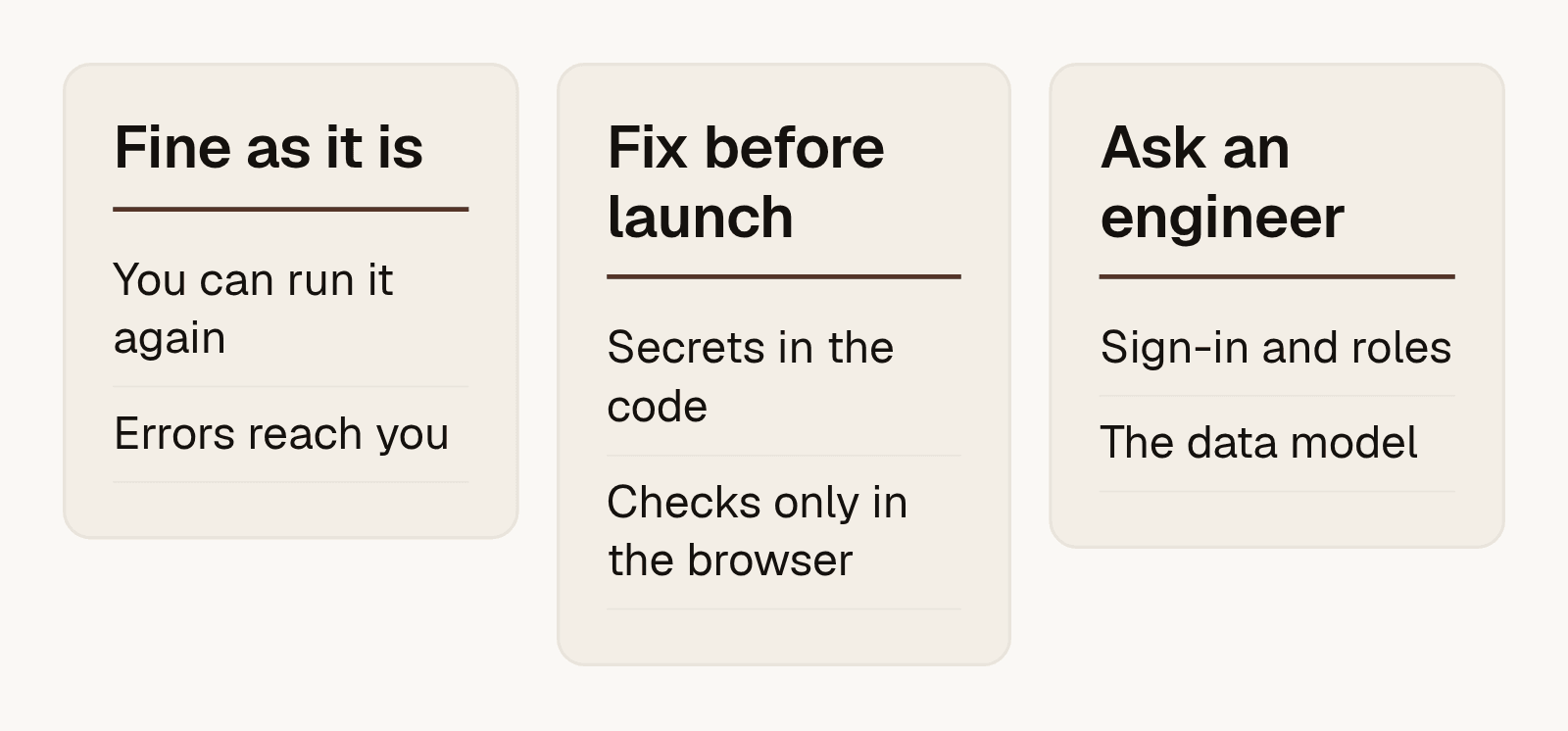
Sort each answer into three groups. Some items are fine. Some you can fix yourself before launch. A few need an engineer to look, usually sign-in, roles and the data model. Those are the parts that are costly to change once real data exists.
None of this means AI tools are a bad choice. It means the first version needs a second pair of eyes before customers rely on it. If you want to know what happens when traffic grows, read why an AI-built site struggles with real traffic.
Frequently asked questions
Is it safe to launch an app built with AI tools?
It can be, if the basics are checked. Secrets, server-side checks and access control matter most. Use the ten checks above and ask an engineer about anything you cannot answer.
Do I need to read code to run this checklist?
No. Most checks are questions you can answer by trying the app or by asking whoever built it.
What is the most common problem in AI-built apps?
Checks that exist only in the browser, and keys left in shared files. Both are quick to find and worth fixing first.
Can Haikotek review an app built with AI?
Yes. We start with a system health check: we read what is running, measure what matters and return a ranked list of fixes.
Will you tell me to rebuild everything?
Usually not. Most of the work is fixing a few parts and leaving the rest alone. We recommend a rebuild only when the foundation is wrong.
How long does the review take?
One to two weeks once access is ready. You can prepare with the system health check checklist.