


Engineering notes / Desktop apps
Tauri or Electron: a decision checklist for a cross-platform desktop app
Notes from shipping a cross-platform desktop app with Tauri and Rust, written as a checklist you can reuse.
Short answer: pick Tauri when you want a thin shell, a Rust core for risky work and a light bundle, and you can accept differences between system web views. Pick Electron when you need the same browser engine everywhere and your team already works in Node. The checklist below helps you decide.
What each one is
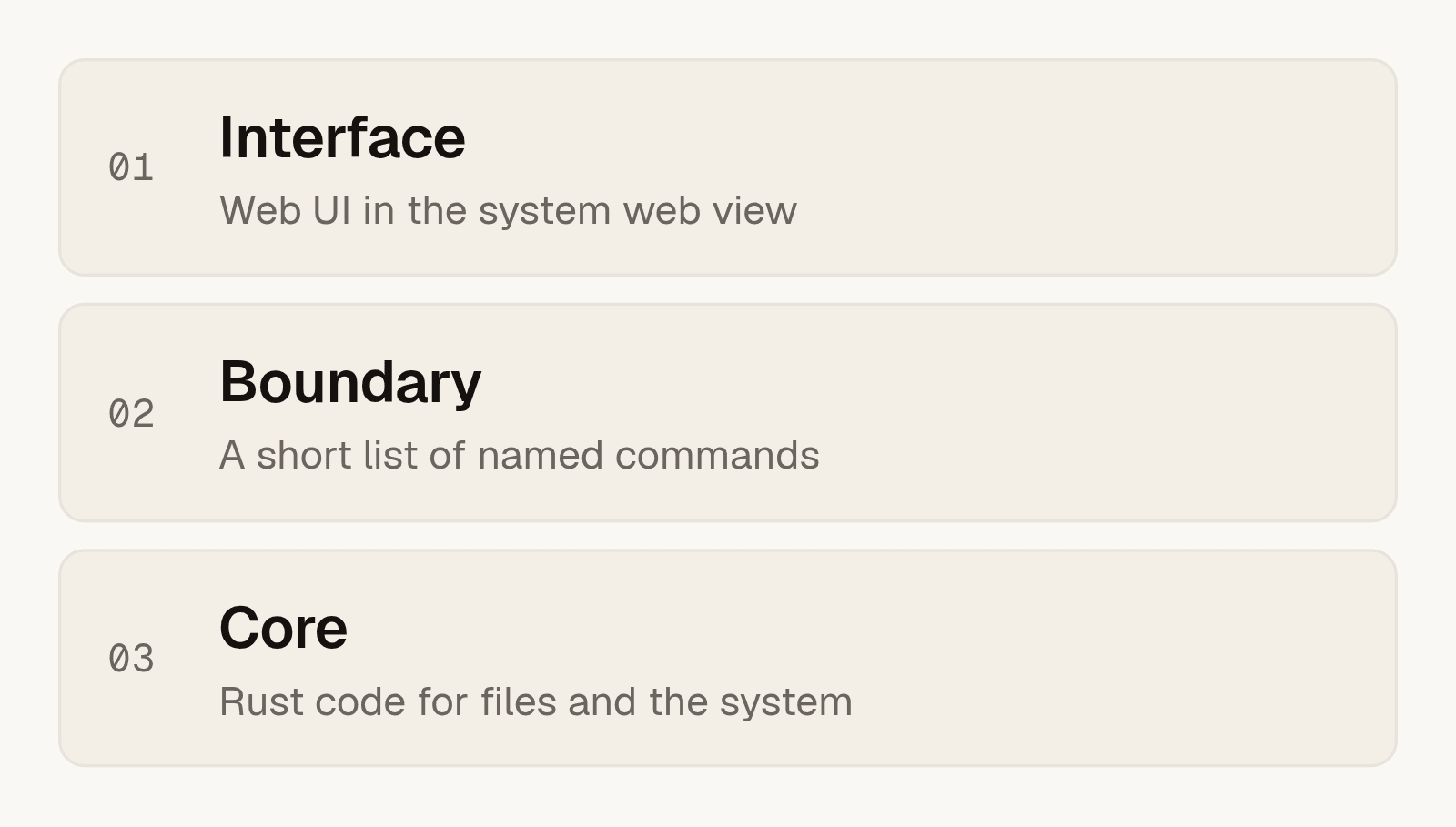
Tauri shows your web interface in the web view that the operating system already provides, and runs your logic in Rust. Electron ships its own copy of a browser engine and runs your logic in Node. That one difference explains most of the trade-offs.
Decision checklist
- Does the app touch files or the system deeply? If yes, a Rust core gives you a strict, typed place for that code.
- Can you accept different web views? Windows, macOS and Linux each use a different engine. Test your interface on each one early.
- Does your team know Rust? The core needs people who can write and review it. If nobody can, Electron may be the honest choice.
- Does bundle size matter? A thin shell is much lighter to download. It matters most for users on slow networks.
- Do you need one identical rendering everywhere? Then bundling the engine, as Electron does, removes a class of surprises.
- Who will sign and publish the app? Plan for certificates and notarization before the first release, not after.
Keep the interface thin
Treat the interface as a screen and nothing more. It shows state and asks for actions. The core decides what is allowed, and it exposes a short list of named commands. A short list is easier to review and to test.
Plan first, then execute
For anything that changes or removes files, split the work in two. First the core builds a plan, a list of exactly what it would do. The user reviews it. Only then does the core execute. When it removes something, it moves it to the operating system's trash, so the user can undo it.
Signing, notarization and updates
On macOS an app needs to be signed and notarized, or users meet a warning when they open it. On Windows an unsigned app also triggers warnings. Both need accounts and certificates that take time to set up.
We keep auto-update switched off until the signing and release pipeline works end to end. An update channel that fails halfway is worse than no update channel.
Where to go next
If you are planning a desktop app, our Custom Software service covers the build and the release pipeline. For an example of an app project, see Varin, a B2B parts app.
Frequently asked questions
Is Tauri better than Electron?
Neither is better in general. Tauri gives a thin shell and a Rust core. Electron gives one browser engine everywhere and Node for your logic. Choose by what your app needs.
Do I need to know Rust to use Tauri?
Someone on the team needs to. The interface is regular web code, but the core and its commands are written in Rust.
Will my interface look the same on every system?
Not always. Tauri uses the web view of each system, so minor rendering differences can appear. Test on each system early.
Why is notarization worth planning early?
It needs accounts, certificates and a release pipeline that works. Doing it late can delay the first release.
Should I turn on auto-update from day one?
We recommend waiting until signing and release work end to end. Then switch it on and test the update path.
How do you delete files safely in a desktop app?
Build a plan, let the user review it, then execute. Move items to the system trash instead of deleting them for good.