


Solution / AI and documents
Reading invoices with AI, with a person approving before posting
A concrete flow for invoices and similar documents: AI reads, a person approves, and every step is logged.
Short answer: let the AI read the document and propose the fields, run simple checks on the result, and send anything unsure to a person. A person approves before anything is posted, and every step goes into a log. This keeps the speed of AI and the control of your accountant.
Problem
Invoices and receipts arrive by email, PDF and phone photos. Someone types the supplier, date, amounts and tax into the accounting tool, line by line, and typing errors are found late.
Approach
The AI reads each document into fields and marks how sure it is. Checks run on the result: do the lines add up to the total, is the tax code valid, has this invoice been seen before. Sure and consistent documents are queued for quick approval. Others go to a person with the problem highlighted.
Result
Accounting staff review and decide instead of typing. Nothing is posted without approval, and the log shows who approved what, and when.
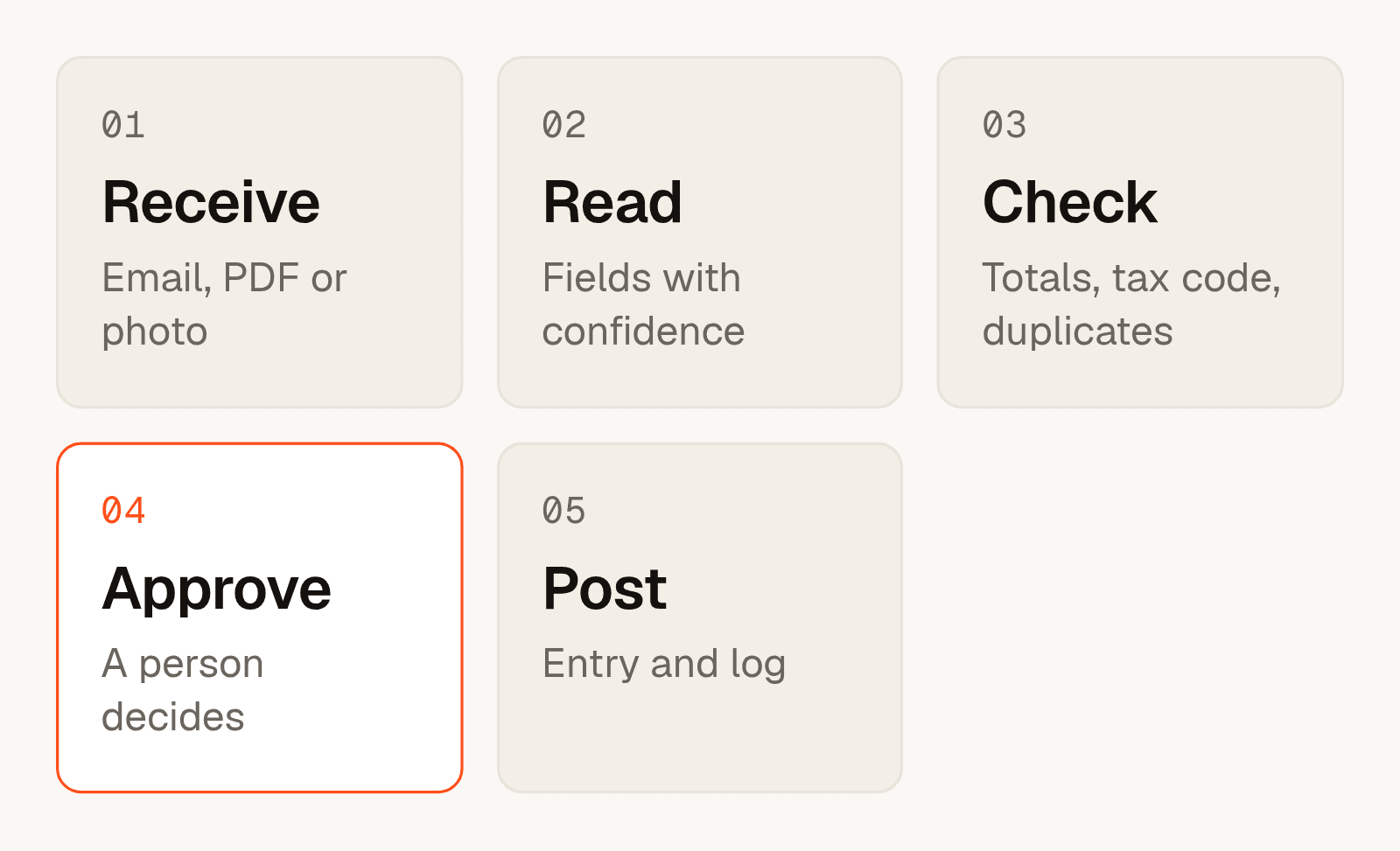
Why approval comes before posting
A wrong entry in the books is costly to find and correct later. A short approval step costs seconds per document. For that reason the approval step is designed in from the first day. It is not added after the first mistake.
What goes to a person
- A field the AI is not sure about, such as a blurred amount.
- Lines that do not add up to the total.
- A supplier or tax code the system has not seen before.
- A document that looks like one already received.
What to agree first
Agree where results must land, which accounting tool is the source of truth, how many errors are acceptable, and which personal data limits apply. Collect a few weeks of real documents, with sensitive data removed, so the reading can be tested honestly. The documents-first guide lists the six points to settle.
When not to use AI here
If invoices already come as structured e-invoices, read the data directly and skip the AI. If suppliers are few and formats never change, a fixed rule is enough.
Frequently asked questions
Can AI read invoices accurately?
It reads clear documents well and struggles with blurred or unusual ones. That is why each field carries a confidence level and doubtful ones go to a person.
Will the AI post entries by itself?
Not by default. A person approves first. You can decide later to automate approval for very clear cases, with a log.
What accounting tools can it work with?
We connect to the tools you already use. We confirm the connection method for your tool during the scoping step.
What about personal data on documents?
We agree the limits before reading any document, and keep to them. This is one of the first things written down.
How do we know it is working?
The log shows how many documents were read, how many needed a person and how often a person changed a field. We review these numbers with you.
Where do I start?
Pick one document type and send a few redacted samples. See AI assistants and integrations.